My coding agent writes UI it cannot see, and half of my admin work happens in web consoles that have no API. Both problems have the same answer: a browser agent. Mine is jev-ultrafast, Browser Use’s agent built for speed. It reads the page as a table of elements plus text, makes one model call per decision, acts, and returns a status, the final URL, the actions it took and the page text. Here is how I actually use it, after months of daily runs.
What I use it for
QA of my own app, as real users. On Piktechs, a browser agent signs in to the test environment as a specific account state (free, Pro, lapsed, team member, frozen team), follows a one-line goal, and then the database says whether the result is correct. The agent’s “done” is only a claim. Sixteen standing checks cover plan gates and workspace permissions. I open-sourced the approach as jev-check, and it gets its own case study.
Screenshots that prove things. A visible bug gets a screenshot in its ticket. A fixed one gets a before/after pair in the closing comment, so I can check the fix at a glance without running anything. One responsive audit produced a single ticket listing every mobile layout defect with its screenshot, ready to fix in one pass. Taking the “after” shots of a batch of closed tickets also found three real follow-up bugs. A screenshot is a claim about the product, so it gets looked at before it gets published.
Admin in my own logged-in browser. Adding an administrator in the OVHcloud manager, configuring GA4 and Google Tag Manager, filling Play Console declarations, moving a domain’s mail between providers, editing my own Malt and Upwork profiles field by field. The agent attaches to my running Brave through the DevTools protocol, works in the profile that already has the site open, and stops where I have to act.
Research where plain fetching is refused. Forums and Reddit threads, in a visible window, one page per call, reading the text the agent returns.
A task runner for longer jobs. For work that takes many steps across sites, I built a small runner around jev: tasks are launched from the terminal only, each runs in a dedicated, persistent browser in a container, and every step is logged with a screenshot, its duration and its model cost. When a task hits a login, a captcha or a 2FA prompt, it stops, notifies me, and I take over through a WebRTC session in my own browser, with a real clipboard in both directions. Then the agent continues.
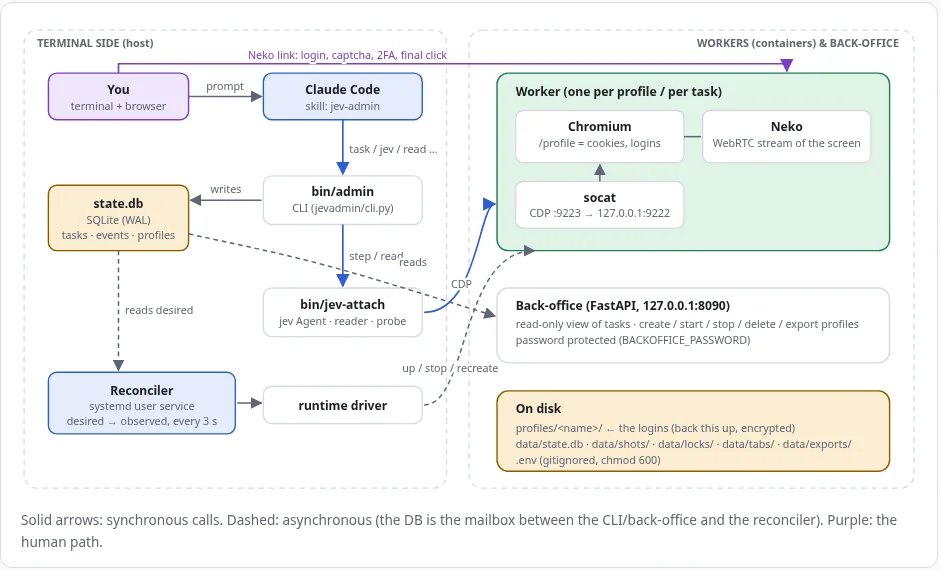 The runner’s architecture, from its own documentation page. The purple path is the human: login, captcha, 2FA, final click.
The rule that matters most: humans type passwords
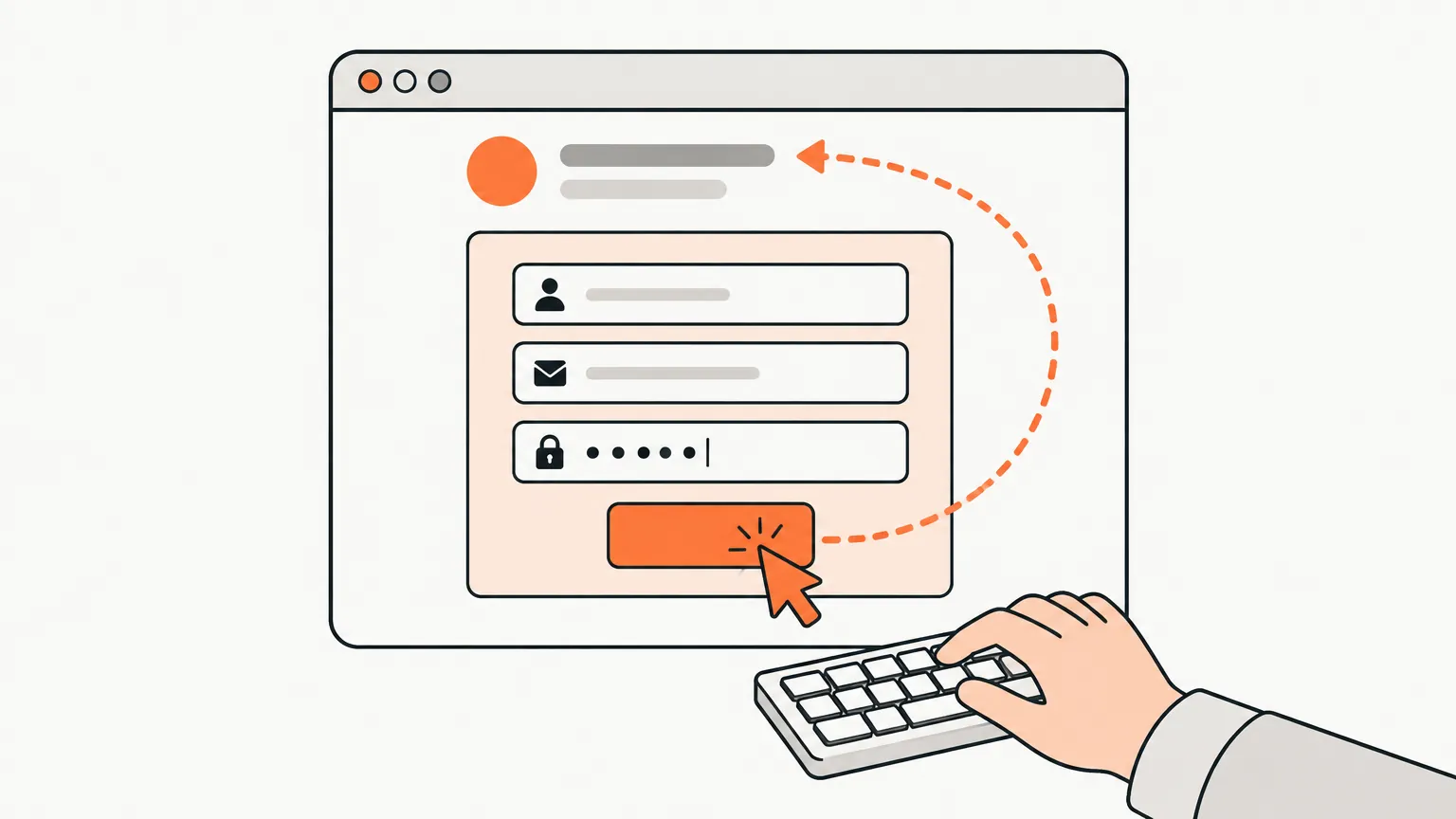
jev never sees password fields. That’s not a limitation to work around, it’s the right design. In jev-check, accounts sign in over the DevTools protocol, so the agent never needs a password. In my own browser, the agent leaves the tab in front of me at the login screen. The runner hands over through WebRTC. In all three cases the agent does the clicking and the human does the credentials.

Gotchas nobody tells you
- One narrow goal per call. “Open the menu”, then “fill the form”, then “read the confirmation”. A long multi-step goal loops, sometimes on the same button ten times.
- Use
127.0.0.1, notlocalhost. In my setup,localhostmade the agent refuse immediately with zero actions. The IP works. - It sees the viewport, not your page. A target below the fold, or a long goal, gives an instant “blocked”. Bring the element into view or shorten the goal.
- Text in, text out. The agent does not judge visuals. Pair it with a screenshot tool for anything visual. I use one that captures full pages at my real widths and flags overflow and broken images.
- Enterprise consoles hide in iframes and web components. OVHcloud renders each app in a same-origin iframe, with shadow-DOM components inside. The default page snapshot misses them, so I patched the snapshot (frames, open shadow roots, labels hidden from accessibility) rather than switching tools.
- The wrong browser profile looks like a logged-out site. Brave runs all its profiles in one process. If the agent opens a tab in the default profile, the site says “please sign in”, and a naive agent asks you to log in. The fix is picking the profile that already has the site open.
- Batch, don’t spawn. I once had the agent edit a profile one field per command. Each command reloaded a heavy single-page app, around thirty seconds of hydration per edit, and it looked like jev was slow. It wasn’t. One tab, one hydration and a list of operations made it fast.
- Test on demo pages, not on real sites in a loop. Iterate against a local page or a demo site, then do one real check at human pace. Whatever you run shares your IP.
- Not in CI. Agent runs are non-deterministic and billed per decision. My deterministic, mocked end-to-end suite stays the gate. The agent is the coding agent’s eyes during a task, on demand.
- Show the cost. Every step logs its model cost. Read-only looks are cheap, and seeing the numbers keeps you from guessing.
When the coding agent says “jev can’t do that”
It’s usually wrong. The most frequent version in my history was “jev can’t type”, which came from an outdated note. The other was quietly switching to a different browser tool when jev stalled. Both are now handled outside the model: the stale note is fixed, and a hook denies the other browser tool and points back to jev. If jev blocks on a page, the right move is to observe why the element is missing from its table, patch, and retry.
What I’d tell you before you start
- Start with QA of your own app as different users. That’s where a browser agent pays for itself fastest.
- Take the verdict from your data, not from the agent.
- Keep humans on credentials, and design the handoff on purpose.
- Narrow goals, the real viewport, the right profile.
- Measure speed and cost per step before blaming the agent.